
Cloud Stream IPTV Player Overview
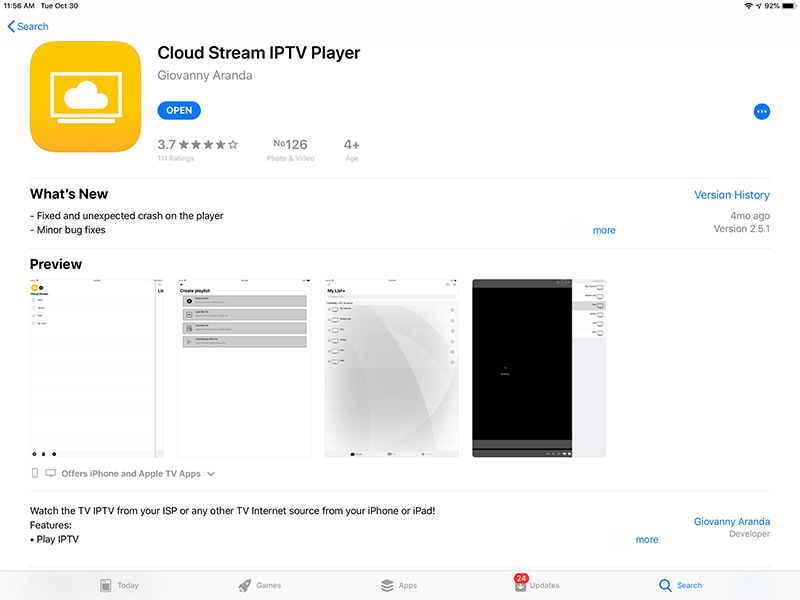
Cloud Stream IPTV Player is a free iOS application developed by Giovanny Aranda, designed for IPTV streaming. It supports multiple languages, including French, English, Italian, and Spanish.
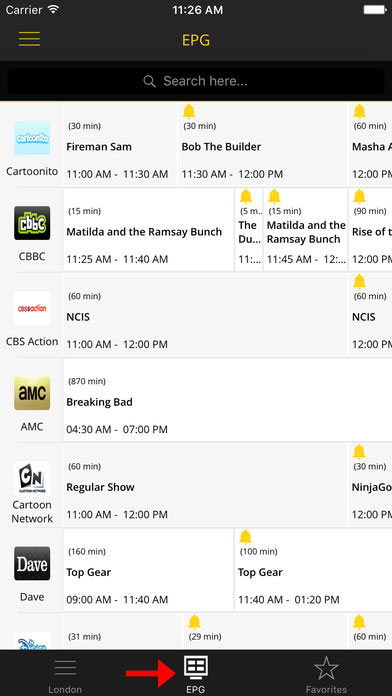
With this app, you can watch IPTV from your ISP or any other online TV source directly on your iPhone or iPad. It also includes EPG (Electronic Program Guide) support and lets you create a favorites list for quick access to your preferred channels.

How to Add IPTV Channels on Cloud Stream IPTV Player
Step 1: Download the app from the App Store and install it on your iPhone or iPad.
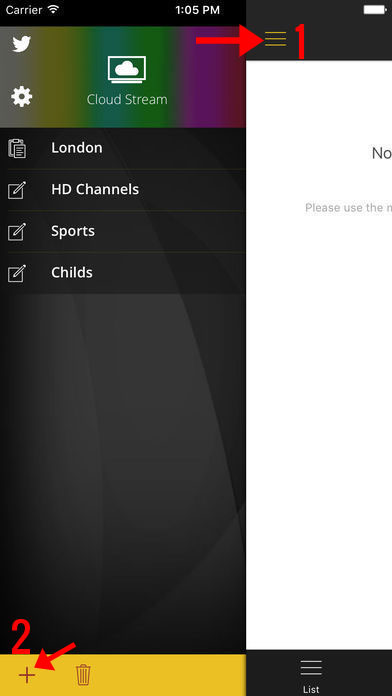
Step 2: Open the app, tap the three-line menu, and then select the + icon.
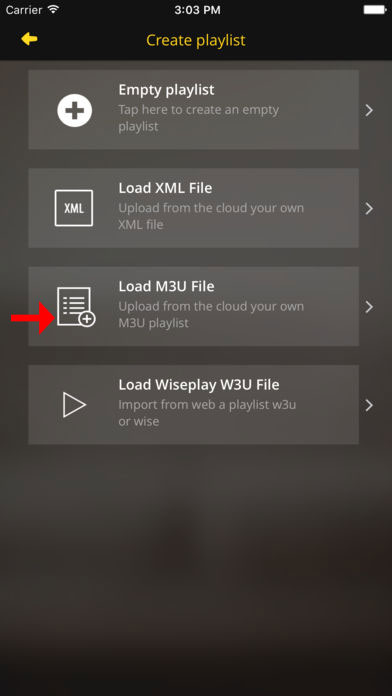
Step 3: On the new screen, choose LOAD M3U FILE and enter the M3U link provided by your IPTV service. (An M3U is a playlist file containing IPTV channel links.)
Step 4: Once the playlist loads, assign it a name of your choice and select your country. Choosing the country helps optimize EPG setup.
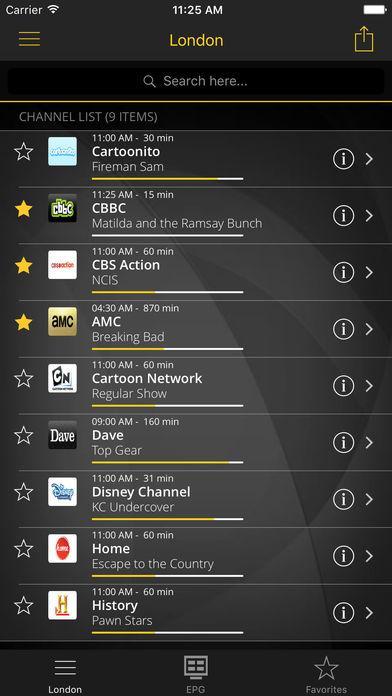
Step 5: You can now access detailed EPG information for each channel under the EPG tab.
Key Features of Cloud Stream IPTV Player
- Stream IPTV channels directly on iOS devices.
- Supports both Internet channels and multicast streams via a UDP proxy (must be configured on your local network).
- Compatible with M3U, XML, JSON playlists (W3U & WISE formats).
- Add playlists from your device, clipboard, or via Internet links.
- Displays channel info and logos.
- Built-in Electronic Program Guide (EPG) for easy navigation.
- Supports various video servers.
Extra Features
- Share playlists with other devices using AirDrop, email, messages, or other installed apps.
- Create and manage a Favorites list.
- Switch between Light and Dark themes.
- Parental lock to restrict content for kids.
- Subtitle and secondary audio support (if enabled by the channel).
- Automatic display of channel groups from M3U lists.
- Program reminders with a built-in notification bell in the EPG grid.