Looking for the best M3U players IPTV for Windows? You’re in the right place! Whether you’re new to the world of IPTV or looking to upgrade your current setup, finding the perfect M3U player can significantly enhance your streaming experience. In this comprehensive guide, I’ll walk you through the top options available in 2025, helping you make an informed decision based on your specific needs and preferences.
Benefits of Using Dedicated M3U Players
While many standard media players can technically open M3U files, dedicated IPTV players offer significant advantages:
- Specialized features designed specifically for IPTV streaming
- Electronic Program Guides (EPG) integration for viewing schedules
- Channel organization tools for managing large playlists
- Buffering optimization for smoother playback experience
- Recording capabilities for saving content for later viewing
- Multiple playlist support for managing different content sources
Now that we understand the importance of a quality M3U player, let’s look at what features you should consider when choosing one.
Key Features to Look for in best M3U players IPTV for Windows
Not all M3U players are created equal. Here are the essential features to consider when selecting the right player for your Windows PC:
User Interface and Experience
The interface design significantly impacts your daily interaction with the player. Look for:
- Clean, intuitive navigation
- Customizable layouts and themes
- Grid or list view options for channels
- User-friendly settings menus
- Channel preview capabilities
- Responsive design that works well on different screen sizes
Format Compatibility
While M3U support is a given, the best players offer broader compatibility:
- Support for various playlist formats (M3U, M3U8, XSPF)
- Compatibility with different streaming protocols (HLS, RTMP, RTSP)
- Ability to handle various video codecs (H.264, H.265/HEVC, VP9)
- Support for subtitles and multiple audio tracks
Customization Options
Personalization features enhance your viewing experience:
- Channel grouping and categorization
- Favorite channels lists
- Custom channel icons and logos
- Adjustable playback settings
- Keyboard shortcut customization
- Theme and appearance options
Performance and Resource Usage
A good M3U player should perform well without draining your system resources:
- Efficient CPU and RAM usage
- Quick startup and channel switching
- Minimal buffering on stable connections
- Hardware acceleration support
- Ability to adjust cache settings for optimal performance
With these criteria in mind, let’s explore the top 10 M3U players available for Windows in 2025.
Click HERE to Get 4K LIVE IPTV Free Trial NOW.
10 Best M3U Players IPTV for Windows 2025
After extensive testing and research, here are my top recommendations for M3U players that deliver exceptional IPTV experiences on Windows:
VLC Media Player: The Versatile Classic
VLC remains one of the most popular media players globally, and for good reason. Its versatility extends perfectly to IPTV playback.
Key Features of VLC for IPTV
- Open-source and completely free
- Supports virtually all media formats and streaming protocols
- Built-in codecs eliminate the need for additional installations
- Minimal resource usage compared to many specialized players
- Regular updates and excellent community support
- Playlist management for organizing IPTV channels
- Advanced streaming options for fine-tuning performance
How to Set Up IPTV on VLC
Getting started with IPTV on VLC is straightforward:
- Open VLC and navigate to Media > Open Network Stream
- Enter the URL of your M3U playlist or select a local M3U file
- Click Play to load the playlist
- Access your channels through the Playlist panel
While VLC wasn’t designed exclusively for IPTV, its reliability, universal format support, and lightweight nature make it an excellent choice for many users, especially those who prefer simplicity and all-in-one solutions.
Click HERE to Get 4K LIVE IPTV Free Trial NOW.
MyIPTV Player: Designed for IPTV Excellence
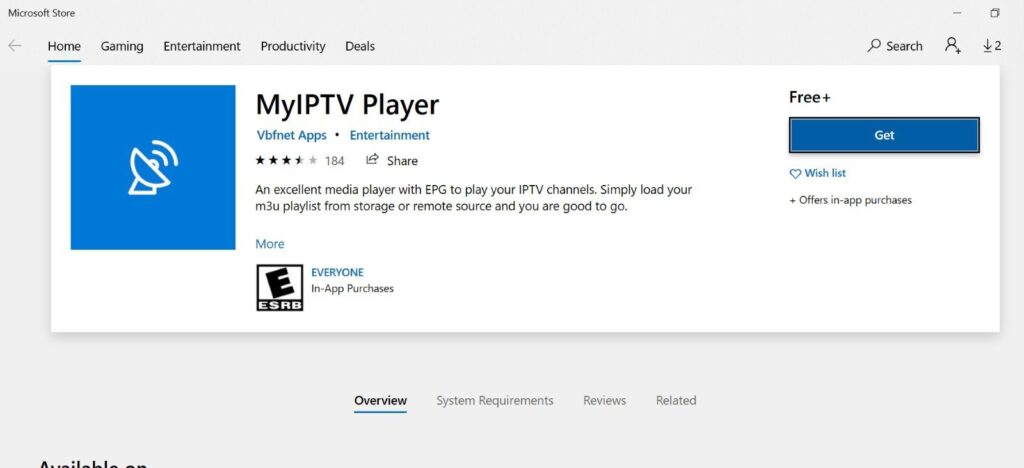
Unlike VLC, MyIPTV Player was built specifically for IPTV streaming, offering specialized features that general media players often lack.
Standout Capabilities
- Purpose-built interface for IPTV channel navigation
- Comprehensive EPG support with detailed program information
- Multiple playlist support with easy switching
- Channel grouping and categorization
- Favorites system for quick access to preferred channels
- Recording functionality for time-shifting content
- Catch-up TV support for compatible services
Ease of Use and Interface
MyIPTV Player stands out for its intuitive design that caters specifically to IPTV users:
- Clean, TV-like interface that works well with remote controls
- Straightforward playlist import process
- Visual channel guide similar to traditional cable boxes
- Easily accessible settings for playback customization
- Picture-in-picture mode for multitasking
For users focused primarily on IPTV rather than general media playback, MyIPTV Player offers a streamlined experience that eliminates unnecessary complications.
Click HERE to Get 4K LIVE IPTV Free Trial NOW.
Kodi: The Ultimate Media Center Solution
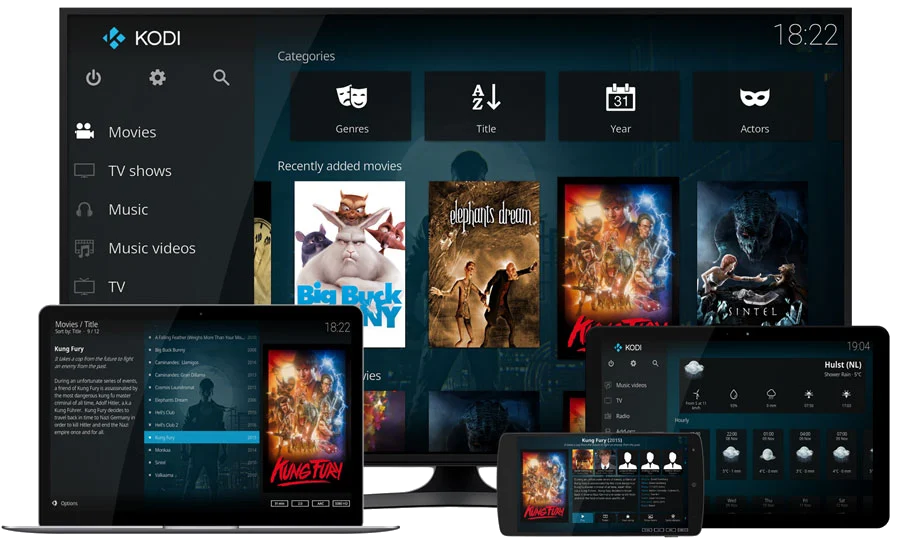
Kodi transforms your Windows PC into a comprehensive media center, with robust IPTV capabilities through its extensible add-on system.
IPTV Add-ons and Extensions
Kodi’s real power for IPTV comes through its add-on ecosystem:
- PVR IPTV Simple Client for basic M3U playlist integration
- IPTV Merge for combining multiple sources
- TVHeadend for advanced IPTV management
- Various EPG scrapers for program guide information
- Specialized add-ons for specific content providers
Customization Options
No other player offers the level of customization available in Kodi:
- Hundreds of themes and skins to choose from
- Completely modifiable interface layouts
- Custom backgrounds, icons, and sounds
- Widget support for creating personalized dashboards
- User profiles for different family members
While Kodi has a steeper learning curve than some other options, its unmatched flexibility and customization make it ideal for users who want a complete media center experience rather than just an IPTV player.
Click HERE to Get 4K LIVE IPTV Free Trial NOW.
Perfect Player: Streamlined IPTV Experience
Perfect Player has built a strong reputation as one of the most reliable dedicated IPTV players for Windows, offering an excellent balance of features and simplicity.
EPG Integration Features
Perfect Player excels in program guide implementation:
- Support for XMLTV and JTV formats
- Customizable EPG timeframe display
- Detailed program information and descriptions
- Color-coded categories for easy navigation
- Recording scheduling directly from the EPG
Performance Benchmarks
In performance testing, Perfect Player consistently stands out:
- Minimal buffering even with large playlists
- Fast channel switching compared to competitors
- Low CPU usage during extended viewing
- Stable playback on moderate internet connections
- Quick startup and playlist loading
Perfect Player strikes an excellent balance between functionality and simplicity, making it a top choice for both beginners and experienced IPTV users who prioritize reliability and performance.
Click HERE to Get 4K LIVE IPTV Free Trial NOW.
GSE SMART IPTV: Comprehensive Media Management
GSE SMART IPTV offers a robust feature set with particular strengths in playlist management and organization.
Multi-Platform Compatibility
While we’re focusing on Windows here, GSE SMART IPTV’s cross-platform capabilities are worth noting:
- Consistent interface across devices
- Cloud synchronization of settings and playlists
- Remote management capabilities
- Ability to transfer configurations between platforms
Advanced Playlist Management
GSE stands out for its sophisticated playlist handling:
- Support for unlimited playlists from different sources
- Powerful filtering and sorting options
- Category-based organization
- Flexible naming and labeling system
- Backup and restore functionality
- Import/export options for sharing configurations
The comprehensive approach to playlist management makes GSE SMART IPTV particularly valuable for users who juggle multiple IPTV sources or have extensive channel collections to organize.
Click HERE to Get 4K LIVE IPTV Free Trial NOW.
ProgTV/ProgDVB: Feature-Rich Viewing Experience
ProgTV (formerly known as ProgDVB) offers one of the most feature-complete IPTV experiences available for Windows users.
Channel Organization Tools
ProgTV excels in helping you manage large channel collections:
- Hierarchical folder structure for organization
- Multi-criteria sorting options
- Advanced search functionality
- Tag-based filtering system
- Custom grouping possibilities
- Channel hiding and prioritization
Recording Capabilities
The recording features in ProgTV are particularly impressive:
- Scheduled recording based on EPG
- Time-shift recording while watching
- Multiple format output options
- Automatic file naming and organization
- Post-processing options including format conversion
- Built-in editor for trimming recordings
While ProgTV has a slightly more technical interface than some competitors, its extensive feature set makes it ideal for power users who want maximum control over their IPTV experience.
Click HERE to Get 4K LIVE IPTV Free Trial NOW.
Simple TV: User-Friendly Interface for Beginners
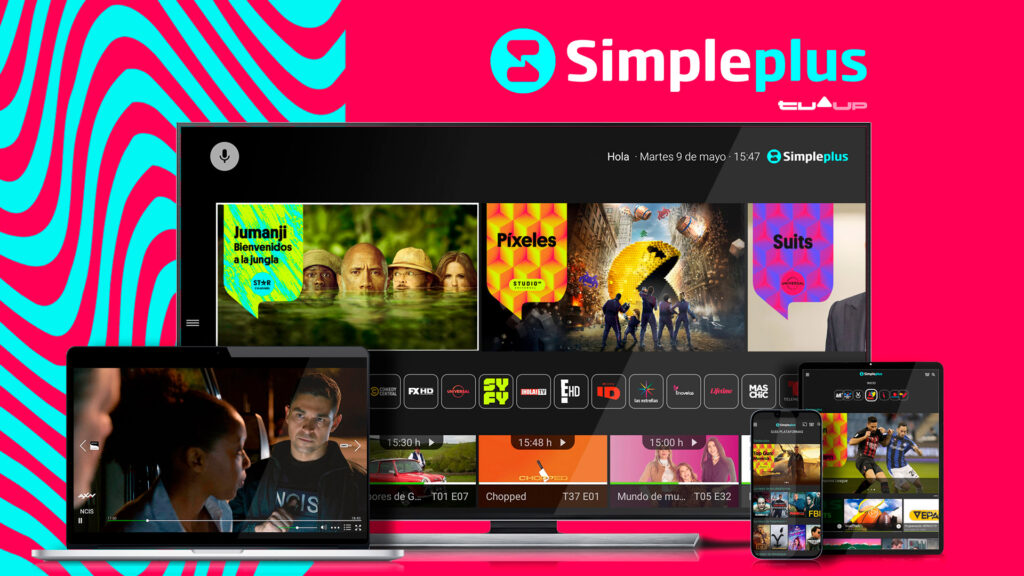
As the name suggests, Simple TV focuses on providing an accessible IPTV experience with minimal complexity.
Getting Started Guide
Simple TV makes the initial setup process particularly straightforward:
- Download and install the application
- Use the built-in wizard to import your first M3U playlist
- Choose your preferred layout and viewing options
- Start watching immediately with minimal configuration
Feature Overview
Despite its focus on simplicity, Simple TV doesn’t skimp on essential features:
- Clean, intuitive channel grid
- Basic EPG functionality
- Channel favorites system
- Simple recording options
- Minimal settings to adjust
- Low resource requirements
- Regular automatic updates
For newcomers to IPTV or users who prefer straightforward functionality over advanced features, Simple TV provides an excellent entry point with just enough capabilities to satisfy most viewing needs.
Click HERE to Get 4K LIVE IPTV Free Trial NOW.
OttPlayer: Cloud-Based IPTV Management

OttPlayer takes a unique approach by offering cloud-based playlist management alongside its Windows application.
Multi-Device Synchronization
The cloud-centric approach enables seamless multi-device use:
- Edit playlists once and access everywhere
- Consistent channel organization across devices
- Synchronization of viewing history and favorites
- Seamless transition between desktop and other platforms
- Cloud backup protecting against data loss
Playlist Management Features
OttPlayer’s web interface for playlist management is particularly powerful:
- Visual drag-and-drop organization
- Bulk operations for channel management
- Custom channel logos and icons
- Category creation and assignment
- Sharing options for specific playlists or channels
- Import/export functionality
The combination of cloud management and a capable Windows player makes OttPlayer particularly attractive for users who access IPTV content across multiple devices and want centralized management.
Click HERE to Get 4K LIVE IPTV Free Trial NOW.
PotPlayer: High-Performance Media Playback

PotPlayer may not be exclusively designed for IPTV, but its exceptional performance and extensive customization make it a top contender.
Codec Support and Optimization
PotPlayer’s technical capabilities are impressive:
- Built-in support for virtually all codecs
- Hardware acceleration for multiple GPU types
- Advanced deinterlacing and scaling options
- Frame rate interpolation for smoother playback
- Extensive audio enhancement features
- Adjustable buffering and caching parameters
Customization Options
Few players offer the level of fine-tuning available in PotPlayer:
- Completely modifiable interface
- Extensive keyboard and mouse controls
- Plugin support for extended functionality
- Detailed technical adjustments for video rendering
- Advanced subtitle handling and customization
- Tailored profiles for different types of content
For technically-inclined users who want maximum control over playback parameters while enjoying excellent IPTV support, PotPlayer offers an unmatched combination of performance and customization.
Click HERE to Get 4K LIVE IPTV Free Trial NOW.
TiviMate IPTV Player: Premium Viewing Experience
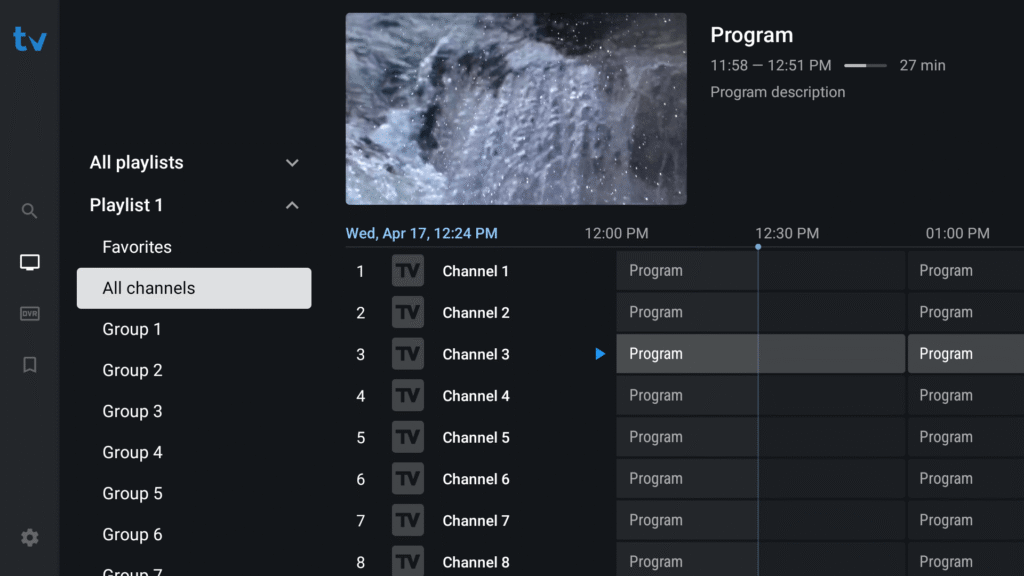
Originally designed for Android TV but now available for Windows, TiviMate has quickly established itself as one of the most polished IPTV experiences available.
Visual Guide and Interface
TiviMate’s interface sets new standards for IPTV players:
- Modern, sleek design resembling premium cable services
- Multi-view mode for watching multiple channels
- Smooth animations and transitions
- Information-rich but uncluttered layout
- Dark mode and various theme options
- Customizable channel grid
Premium Features Worth Considering
While TiviMate offers a free version, its premium features are worth the investment:
- Recording functionality with scheduling
- Catch-up TV integration
- Multiple playlist support
- Enhanced EPG with search capabilities
- Group-specific settings
- Regular feature updates and improvements
TiviMate’s combination of visual polish and robust functionality makes it particularly appealing for users who want a premium feeling IPTV experience that rivals traditional cable interfaces.
Click HERE to Get 4K LIVE IPTV Free Trial NOW.
Honorable Mentions
While our top 10 covers the best all-around options, several other players deserve recognition for specific strengths:
IPTV Smarters for PC
IPTV Smarters has made a successful transition from mobile to Windows, bringing its user-friendly interface and reliable playback to the desktop environment. It particularly excels with:
- Clean, approachable interface design
- Solid EPG implementation
- Good support for VOD content
- Regular updates and improvements
- Straightforward playlist management
Plex Media Server
While primarily known as a media server, Plex offers surprisingly robust IPTV capabilities through its Live TV & DVR feature:
- Beautiful interface with rich metadata
- Excellent recommendation engine
- Integration with your existing media library
- Advanced recording capabilities
- Multi-user support with personalized profiles
Free TV Player
As the name suggests, Free TV Player offers a no-cost solution with:
- Zero ads or premium features
- Simple, straightforward interface
- Low system requirements
- Basic but functional EPG
- No-frills playlist management
Click HERE to Get 4K LIVE IPTV Free Trial NOW.
IP-TV Player
This specialized player focuses on:
- Optimized buffering for slower connections
- Reliable playback of problematic streams
- Minimal interface with few distractions
- Small installation footprint
- Basic but effective channel organization
PowerDVD
While typically associated with DVD and Blu-ray playback, PowerDVD offers solid IPTV capabilities:
- High-quality video enhancement technology
- Excellent audio processing features
- Premium, polished interface
- Good format compatibility
- Reliable performance
Setting Up Your M3U Player: Best Practices
Once you’ve selected your preferred M3U player, following these best practices will help ensure the best possible IPTV experience:
Finding Reliable M3U Playlists
Quality content sources are essential for a good experience:
- Research providers thoroughly before subscribing
- Look for services with trial periods
- Check user reviews and community feedback
- Verify the channels and content you’re most interested in
- Consider uptime guarantees and support options
Click HERE to Get 4K LIVE IPTV Free Trial NOW.
Organizing Your Channels
Taking time to organize your channels will improve daily usability:
- Create logical groups based on content type, language, or frequency of viewing
- Remove or hide channels you’ll never watch
- Place favorite channels in easily accessible locations
- Use consistent naming conventions
- Consider color-coding categories if your player supports it
Troubleshooting Common Issues
Even the best setups occasionally encounter problems:
- Buffering issues: Adjust cache settings, check your internet speed, consider using a wired connection instead of Wi-Fi
- Playlist loading failures: Verify the URL is correct and accessible, try alternate formats
- EPG not showing: Check format compatibility, ensure time zones are properly set
- Poor video quality: Try alternate streams, check for hardware acceleration options
- Audio sync problems: Look for A/V sync adjustment settings in your player
Security Considerations When Using IPTV Players
As with any internet-connected technology, security should be a priority when using IPTV services:
Using VPN with IPTV Services
A Virtual Private Network (VPN) offers several benefits:
- Prevents your ISP from seeing your streaming activity
- May help avoid throttling of streaming traffic
- Provides an additional layer of privacy
- Can help access geo-restricted content
- Protects against certain types of attacks
When choosing a VPN for IPTV, look for:
- Fast connection speeds
- No bandwidth caps
- Server locations relevant to your content interests
- Strong encryption standards
- No-logs policy
Legal Considerations and Best Practices
The legal landscape around IPTV can be complex:
- Understand the distinction between legitimate IPTV services and unauthorized streams
- Research the legality of specific services in your jurisdiction
- Be wary of services offering premium channels at suspiciously low prices
- Consider official streaming services as alternatives where available
- Stay informed about changing regulations in your region
Click HERE to Get 4K LIVE IPTV Free Trial NOW.
Conclusion: Choosing the Right M3U Player for Your Needs
After exploring the top M3U players for Windows, it’s clear that the “best” option depends largely on your specific needs and preferences:
- For versatility and simplicity, VLC Media Player remains an excellent choice
- Power users seeking maximum customization should consider Kodi or PotPlayer
- Those wanting a dedicated IPTV experience will appreciate Perfect Player or MyIPTV Player
- Users seeking premium interfaces should look at TiviMate or GSE SMART IPTV
- Those managing multiple devices might prefer the cloud-based approach of OttPlayer
Ultimately, many of these players are free or offer trial versions, so don’t hesitate to experiment with multiple options before settling on your preferred solution. The right M3U player can transform your IPTV experience, providing countless hours of entertainment through a comfortable, customized interface.
As streaming technology continues to evolve, these players will likely continue adding features and improving performance. The best approach is finding a player that meets your current needs while showing consistent development and adaptation to changing technologies.
Frequently Asked Questions About M3U Players for Windows
1. What exactly is an M3U file and how does it work with IPTV?
An M3U file is essentially a plain text file that contains the URLs or paths to media content. In the context of IPTV, these files include links to streaming channels along with metadata like channel names, logos, and categories. When you load an M3U file into a compatible player, it reads this information and presents it as a navigable list of channels or content, allowing you to access the streams with a simple click.
2. Can I legally use M3U players and IPTV services?
The players themselves are completely legal software. However, the legality of IPTV content depends entirely on the source. There are many legitimate IPTV services offering licensed content, including free and paid options. However, services offering premium channels at suspiciously low prices may be unauthorized. Always research providers carefully and choose legitimate services that respect copyright laws in your jurisdiction.
3. Why does my IPTV stream buffer frequently despite having fast internet?
Buffering can occur for various reasons beyond your internet speed. Common causes include server limitations on the provider’s end, inefficient player settings, network congestion, or Wi-Fi interference. Try adjusting buffer settings in your player, using a wired connection instead of Wi-Fi, closing bandwidth-intensive applications, or considering a VPN to avoid potential ISP throttling of streaming traffic.
4. Can I record content from my IPTV streams for later viewing?
Many of the players mentioned in this article offer recording capabilities, including Perfect Player, ProgTV, and TiviMate Premium. However, keep in mind that recording functionality varies significantly between players, and some may require premium versions to unlock this feature. Also, be aware of the legal implications of recording content in your jurisdiction.
5. How can I transfer my channel organization and settings between different M3U players?
Unfortunately, there’s no universal standard for transferring settings between different players. Each uses its own configuration format. Your best approach is to export playlist files where possible and reimport them into your new player. For complex setups, you might need to recreate your organization manually. Some cloud-based services like OttPlayer offer better portability since your configuration is stored online rather than in local files specific to each player.